Press a button and watch a real build run
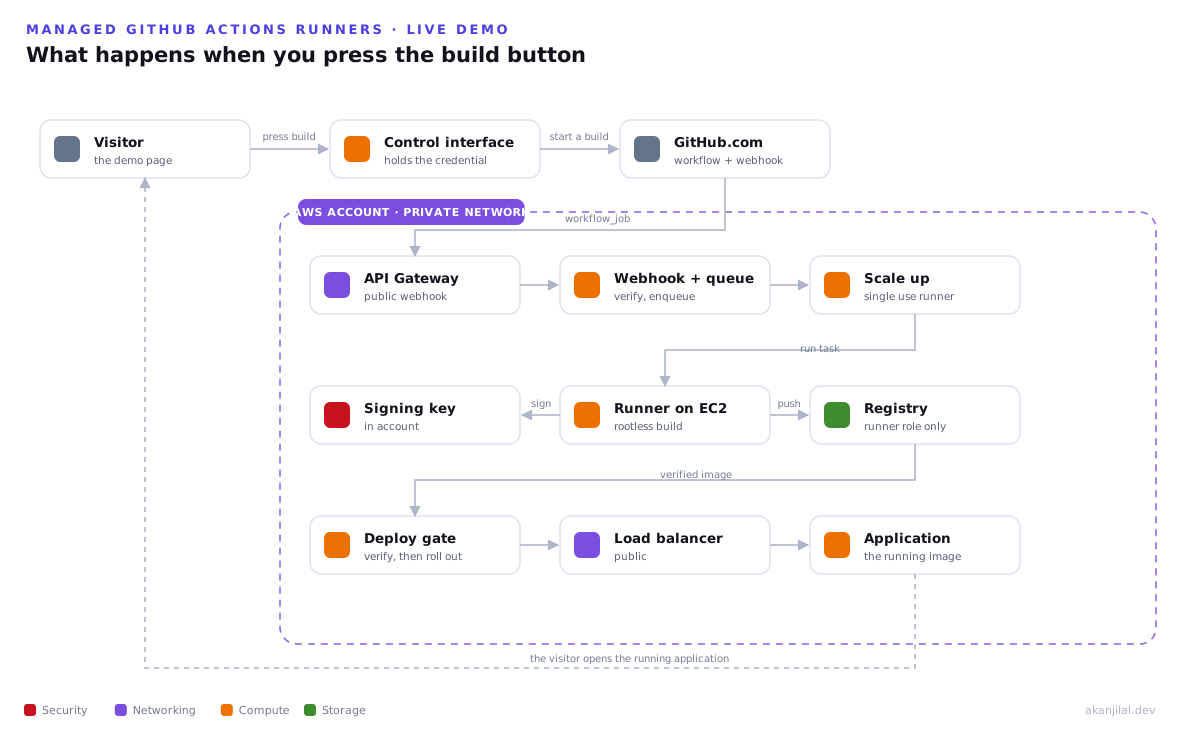
This page runs a real build in a real Amazon Web Services account. When you press the button below, a single use runner starts on private, account owned compute, builds a container image without root, pushes it to a registry that only the runner identity may write to, signs it inside the account, and a deploy gate verifies that signature before the application is rolled out behind a load balancer. At the end you get a working web address that reports its own provenance.
This is the build plane described in the reference architecture, running for real. The runner, the registry, the signing key, the deploy gate, and the application are all live in the region Canada Central. The page below talks to a small control interface that holds the credentials, so your browser only ever asks for a build and reads its state. Builds are limited per day to keep cost bounded.
Two steps. If the environment is off, press Recreate to bring it up, which takes a few minutes. Then press Run a build to build, sign, and deploy a real image. The endpoint below stays inactive until a build finishes, and then you can open the running application.
Pipeline steps
Runner output
The running application
How it works, end to end
The path runs from the button you press to the running application you open, with no manual steps in between. A control interface starts a build on GitHub. The private control plane provisions one single use runner. The runner builds the image, pushes it to the registry only it can write to, and signs it in the account. A deploy gate verifies the signature and rolls the application out behind a load balancer.
The runner builds without root and signs in the account
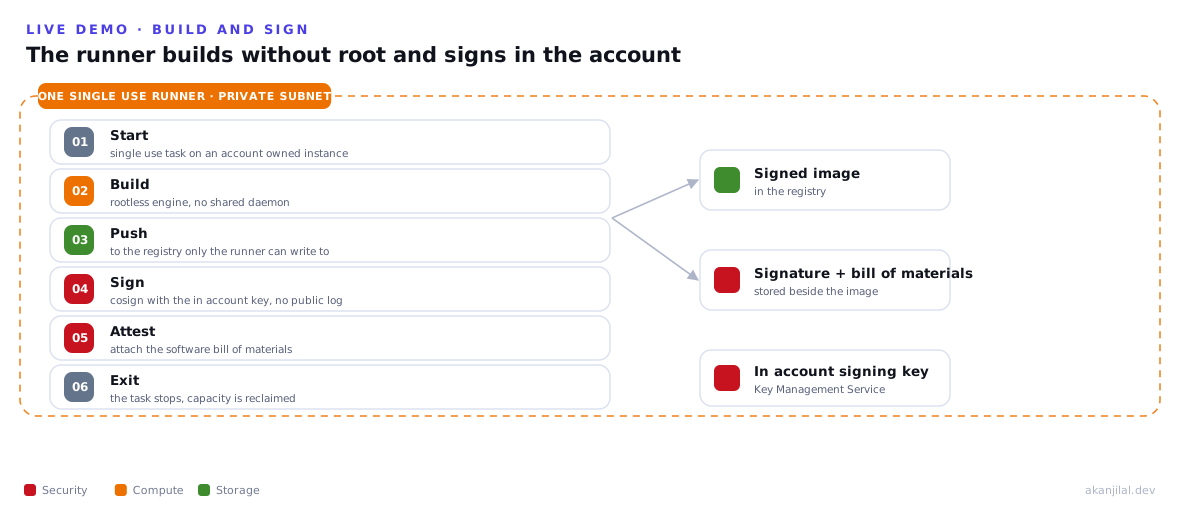
The runner is a single use task on account owned compute, in a private subnet with no inbound access. It builds the image with a rootless engine rather than a shared daemon, so a build step runs without root privileges and without access to a shared host. It pushes the result to the registry that only the runner identity is allowed to write to, signs the image with a key that never leaves the account, and attaches a software bill of materials. The task then exits, and the next build starts on a fresh runner.
Only a verified image reaches the application
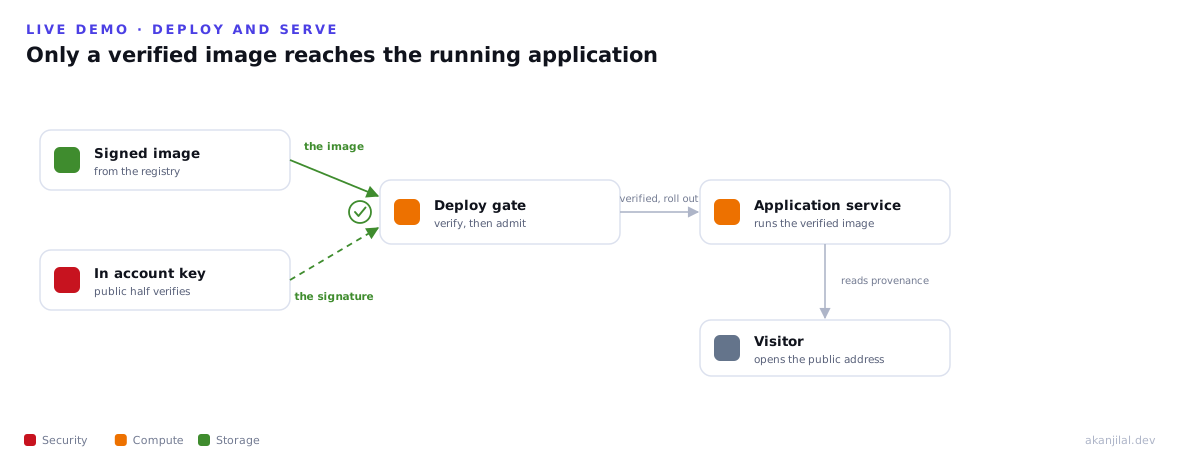
The deploy runs on its own single use runner. It verifies the signature again with the in account key, and only a verified image is allowed to update the service. The application runs behind a public load balancer, where you can open it and read the image fingerprint it is running and the verified state it reports about itself. Together, the registry gate and the deploy gate ensure the only deployable images are those built by the runner and signed in the account.